
If you run a restaurant, this probably sounds familiar: a new season starts, supplier prices shift, a dish gets added to the menu — and you're reprinting hundreds of paper menus all over again. Every time this happens, it costs both money and time. On top of that, paper menus get torn, stained, and worn out fast, and no two tables ever look quite the same, which leaves guests with an unpolished first impression.
Since the pandemic, diners have also become far more conscious of hygiene — a menu that passes through dozens of hands a day and rarely gets cleaned has become a real concern for many guests. On top of that, menu design, translation, and print quality all add recurring costs that quietly eat into a small or mid-sized restaurant's annual budget.
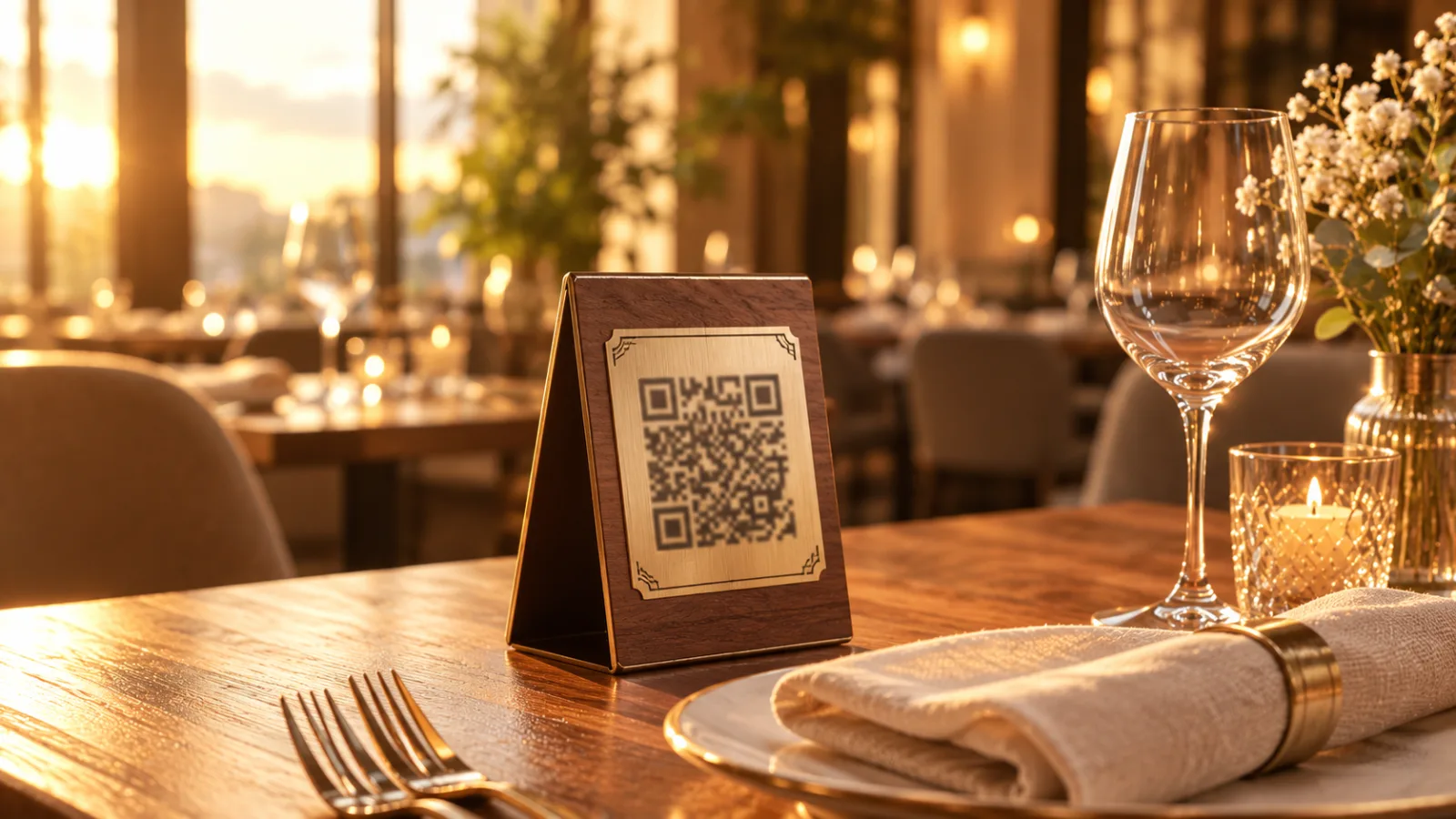
There's a simple but powerful technology that solves all of this at once: the QR code menu. From fine-dining restaurants to small neighborhood cafés, more and more venues are switching to this system because the benefits are clear on both the operational and financial side.
In this guide, we'll cover what a QR code menu actually is, how it works, what it specifically brings to your restaurant, how it really compares to a paper menu, and how your own digital menu gets built and handed over to you, step by step.
What Is a QR Code Menu?
A QR code menu is a digital restaurant menu that guests access simply by scanning a code with their smartphone camera. Instead of a printed page, a small square code is placed on the table, on a stand, or at the entrance; the guest scans it with their phone, and the menu opens directly in their browser — no app download required.
The QR code itself isn't new technology — it was invented in 1994 by Japan's Denso Wave for tracking parts in automotive manufacturing. It's only in recent years, with the spread of smartphones and cameras that scan codes automatically, that this technology became accessible and practical for the restaurant industry specifically.
The key difference from a static website link is that a properly built QR code menu system lets the restaurant owner manage content in real time — meaning the menu can be updated at any moment, without any extra printing cost. That turns a digital menu from simply "the paper menu in electronic form" into a live management tool.
Some owners mix up "digital menu" with "QR code menu." Digital menu is actually the broader term — a menu shown on a tablet or on a website both fall under this category. A QR code menu is simply the fastest, most accessible way to reach that digital menu, since the guest gets access in one second with their own phone, with no extra hardware or app required.
How Does It Work?
From the guest's side, the process is remarkably simple:
- The guest sits down and sees the QR code on the table.
- They point their phone's camera at the code — most modern phones don't even need a separate app.
- The code is recognized automatically and the restaurant's menu page opens in the browser.
- The guest browses categories comfortably, seeing photos and prices for each dish.
- If available, they can switch the menu's language (for example, between English and Azerbaijani).
- After browsing, they call the server to place their order, or — if the platform supports it — place the order directly from their phone.
The entire process typically takes 10-15 seconds — no sign-up, no waiting required.
Paper Menu vs. QR Code Menu: Comparison
Before deciding, it helps to look at the real differences between the two systems in practical terms rather than raw numbers. The table below compares paper menus and QR code menus across the criteria that matter most.
| Criteria | Paper Menu | QR Code Menu |
|---|---|---|
| Upfront cost | Relatively low, but repeats with every change | One-time setup, then a flat monthly subscription |
| Update speed | Several days (design + print + distribution) | Instant, a few clicks |
| Multiple languages | Requires a separate print run per language | One-tap language switch, no extra printing |
| Hygiene | Passes through many hands, hard to clean regularly | Uses the guest's own phone, no shared surface contact |
| Environmental impact | Ongoing paper and ink use, waste | Paperless, sustainable long-term use |
| Guest experience | Static, risk of no photos or an outdated look | Photo-rich, interactive, always current |
As you can see, a paper menu's only real edge is a lower visible upfront cost — but that edge erodes quickly once you factor in repeated printing and design costs over time.
QR Menus by the Numbers: Industry Statistics
This isn't just a trend — international industry research shows the real, measurable impact a QR code menu has on a restaurant business.
| Metric | Result | Source |
|---|---|---|
| Overall growth in QR code usage (2021-2025) | 323% | Wave Connect, 2026 |
| Scan rate when the QR code includes clear on-table instructions (vs. 34% with none) | 73% | EasyMenus, 2025 |
| Reduction in menu-related complaints (wrong prices, sold-out items) | 57% | EasyMenus, 2025 |
| Average check increase with digital ordering | ~20% | Supercode, 2026 ROI report |
| Table turnover increase for restaurants with QR-based payment | 15% | TableQR, 2026 ROI report |
Note: The statistics above are based on international industry research and reflect global trends rather than figures specific to the Azerbaijani market.
Why It Matters for Your Restaurant
Speed and Operational Efficiency
Your servers no longer waste time handing out menus, collecting them from tables, or explaining "we're out of that" to every single guest. Guests browse and choose on their own, so the ordering process starts faster — especially noticeable during peak hours like lunch rush. The result: the same staff can serve more tables.
Cost Savings
When the season changes, prices go up, or a new dish is added, printing costs are no longer part of the conversation. Over a year, especially for restaurants that update their menu often, the savings add up to a meaningful amount and the investment pays for itself quickly. Many owners find that within the first few months, the subscription cost is already offset by print savings alone.
Real-Time Updates
If a dish sells out, you can hide it from the menu with a single click. Price changes, seasonal specials, limited-time offers — all appear instantly across every table at once, so no table is ever left with an outdated price or a dish that no longer exists. This directly improves guest satisfaction and cuts down on server-guest miscommunication.
A Multilingual Guest Experience
In tourist-heavy locations, foreign guests can browse the menu in their own language. This reduces confusion during ordering and boosts guest satisfaction — especially noticeable in cities with high tourist traffic. Since language switching happens with a single tap, your server never has to play translator.
Data and Analytics
A digital system can show you which dishes get viewed the most, which hours see the highest activity, and which language your menu is opened in most often. This data helps you shape your menu and pricing more intelligently — something a paper menu can never give you feedback on. Over time, this data makes it clear which dishes should be dropped from the menu and which deserve a more prominent spot.
Platform's Key Features
We've covered the general advantages of a QR code menu so far. So what does the QRMenuNow platform specifically offer? Not every QR menu system is built the same way — here are the platform's core features.
AI-Powered Ordering Experience
Instead of scrolling through a long menu, guests can simply type what they're in the mood for in their own words — for example, "something light and cheap" — and the system finds and suggests a matching dish on its own.
- ✓AI Chat — finds and displays a matching dish automatically based on the guest's description
- ✓AI Upsell — suggests relevant add-on items when something is added to the cart, increasing order value by an average of 15-25%
Powered by Groq infrastructure running the Llama 3.3 70B model.
Multi-Channel Ordering and WhatsApp Integration
You can enable three ordering channels independently, depending on your restaurant's setup: dine-in, takeaway, and delivery. Each channel is managed on its own.
- ✓WhatsApp ordering — the guest's order is sent directly to the restaurant's WhatsApp number
- ✓Table QR System (PRO add-on) — a unique QR code for every table, with the order appearing automatically on the server's screen as, for example, "Order from Table 3" (see the Pricing section for cost)
Smart Google Reviews Management
Guests who leave a 4- or 5-star rating are automatically redirected to your Google Reviews page, boosting your online rating. Guests who rate 3 stars or lower never reach Google — their feedback is sent to an internal form and comes straight to you instead. The result: negative reviews get filtered out, while positive ones accumulate on Google.
Loyalty Program and Online Reservations
Guests earn points on every order and can redeem them as a discount on future orders — this increases repeat visits and builds a loyal customer base. On top of that, guests can reserve a table online in advance, which is especially useful during busy weekend hours.
Scheduled Menus and Allergen Filters
Categories like breakfast, business lunch, and dinner can automatically appear and disappear during their designated hours — no need to manually toggle anything each time.
Filters like Vegan, Vegetarian, Gluten-free, and Lactose-free also let guests find a dish that fits their needs in seconds.
10-Language Support and Automatic Currency Conversion
Your menu can be presented in English, Azerbaijani, Turkish, Russian, Arabic, French, German, Hindi, Urdu, and Chinese — especially valuable for restaurants with significant foreign tourist traffic.
Prices are also automatically converted into the guest's chosen currency (AZN, USD, EUR, GBP, AED, and more), with no manual calculation required.
Daily Analytics
You can see how many times each dish was viewed and ordered, broken down as daily statistics — this lets you refine your menu based on real numbers rather than guesswork.
30-Second Management: Admin Panel
Changing a price, adding a new dish, or uploading a photo each takes about 30 seconds. You can access the panel from your phone or computer, with no need to contact us for every single change.
Which Type of Business Is It For?
Restaurants, cafés, bars, and hotels each have their own pace and customer behavior. The table below shows which features are especially useful for which type of business.
| Business Type | Core Need | Recommended Feature |
|---|---|---|
| Restaurant | Fast order turnover, a frequently changing menu | AI Upsell, Multi-channel ordering |
| Café | Simple, fast order flow, repeat customers | Table QR System (PRO), Loyalty Program |
| Bar | Fast late-night ordering, a drinks menu that changes often | WhatsApp ordering, Scheduled menus |
| Hotel | Multilingual guests, room service | 10-Language Support, Reservation System |
How Is a QR Code Menu Set Up? Step by Step
Unlike what many people assume, you don't need to do anything technical yourself to get a QR code menu. Our team handles the entire initial setup — you simply send us your menu, and we take care of the rest. If you want the full breakdown of how to create a QR code menu for your restaurant, here's how the process works.
Step 1: Send Us Your Menu
Send over your existing menu (dish names, prices) and any food photos you have. No photos yet? No problem — we can also generate them with AI if you'd like.
Step 2: We Build and Translate Your Menu
Our team handles all pricing, copywriting, and translations into your selected languages at no extra charge. Categories, item descriptions, and design are all fully built out at this stage.
Step 3: We Deliver a Fully Ready System
Your menu is handed over to you fully set up and ready to go. Once you've reviewed and approved it, the system is activated.
Step 4: We Provide Your QR Codes
A unique QR code is generated for your restaurant and delivered to you. If you'd like, a separate QR code per table (Table QR System PRO) can also be provided.
Step 5: Print and Place on Tables
You print the QR codes as table stands, cards, or on the menu cover and place them on the tables. Once a code is generated, it never changes — no matter how much the content behind it is updated, the same code keeps working.
Step 6: Make Future Changes Yourself
After the initial setup, you can handle price changes, add new dishes, or update photos yourself through the admin panel — in about 30 seconds, without needing to contact us each time.
Initial setup usually takes a few business days, depending on the size of your menu. After that, the system runs entirely under your control for years, with no additional printing costs.
Pricing
Our pricing is simple and transparent: a flat monthly rate, unlimited menus and languages, and the entire initial setup handled by us. All you need to do is send us your menu content (dishes, prices, photos) — our team takes care of the setup, and from then on, you can make any changes yourself through the panel.
| Plan | Monthly Price | Menus | Languages | Support |
|---|---|---|---|---|
| Premium | USD 29 | Unlimited | Unlimited | Priority support + dedicated account manager |
* If you'd like a unique QR code for every table with automatic server notifications, the Table QR System (PRO) module can be activated on top of the base plan for +AZN 50/month.
Frequently Asked Questions
Is a QR code menu free?
We offer a free trial, but full functionality requires a flat monthly subscription. For the Azerbaijani market, the price is AZN 20/month, which includes unlimited menus, unlimited languages, and our team handling the initial setup for you.
Is a QR code menu a legal requirement in Azerbaijan?
No, using a QR code menu is not currently a legal requirement anywhere. It's entirely a voluntary choice based on the operational advantages it brings to your restaurant. That said, in an increasingly competitive market, many restaurants now treat it as a standard guest expectation.
How many languages can my menu support?
You can add as many languages as you'd like — English and Azerbaijani alongside Russian, Turkish, and others are all supported with no limit. Adding a language doesn't require any reprinting — it's simply added through the panel.
How often do I need to update the QR code itself?
Good news — the QR code itself never needs to change. It always points to the same link, while you update the menu behind it as often as you like. The code only needs reprinting if it gets physically damaged or the print quality degrades.
What happens if a guest doesn't have internet access?
Offering your restaurant's public Wi-Fi is a useful backup. Beyond that, most guests can open a simple web page over mobile data with no issues at all, since a well-optimized menu page requires very little data.
How long does setup take?
Our team handles the initial setup, and it typically takes a few business days depending on the size of your menu. For larger, multilingual menus, this can take a bit longer. Once your system is delivered fully ready, you can make any changes yourself through the admin panel in minutes.
Does a QR code menu actually increase sales?
According to international industry research, restaurants with self-serve QR ordering see sales increase by an average of 35%, and digital orders raise the average check by around 20%. This lift largely comes from easier browsing, photo-based presentation, and smart upsell suggestions.
How widespread is the QR code menu, really?
As of 2026, roughly 75% of restaurants worldwide use a QR code menu, and that number keeps growing year over year. It's no longer a passing trend — it has become a standard part of modern restaurant operations.
Conclusion
A QR code menu is no longer "future technology" — it's a proven, widely used solution today that saves restaurants both time and money. By moving past the limitations of a paper menu, you can offer your guests a faster, cleaner, and more multilingual dining experience.
Want to try a QR code menu for your own restaurant? Request a free demo with QRMenuNow — with no obligation, see exactly how your own menu would look in just a few minutes.